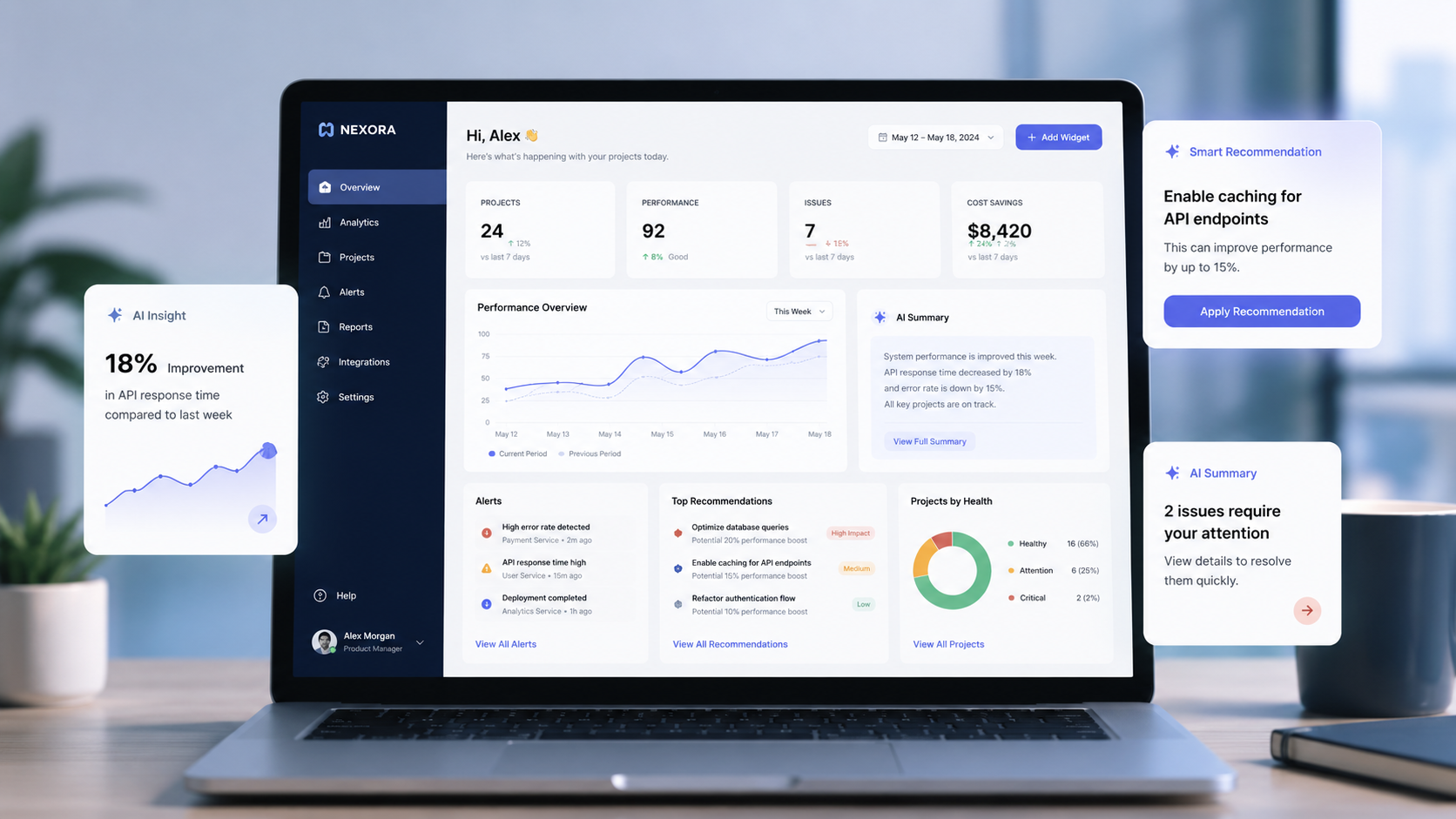
AI is everywhere right now.
You see it in dashboards, chatbots, writing tools, customer support systems, healthcare apps, school platforms, CRMs, e-commerce products, and even basic admin panels. For many companies, adding “AI-powered” to a feature list feels like an easy way to look modern.
But users do not care whether a feature sounds trendy.
They care about one simple thing:
Does this help me do my work faster, better, or with less confusion?
That is where many AI features fail. They look impressive in a demo, but after a few days, users stop clicking them. Why? Because the feature does not solve a real problem.
Good AI should not feel like a decoration. It should feel like a helpful shortcut.
The Problem With “Trendy AI”
A lot of products add AI just because the market is talking about it.
A dashboard gets an AI assistant.
A form gets an AI suggestion button.
A report page gets auto-generated insights.
A search box gets renamed as “smart search.”
But if the user still has to double-check everything, rewrite the output, or figure out what the AI is trying to do, then the feature is not really helping.
It is just adding another layer of work.
A trendy AI feature usually looks like this:
It sounds impressive but has no clear user benefit.
It gives answers without enough context.
It does not explain why it made a suggestion.
It has no easy way to edit, reject, or correct the result.
It fails silently when the answer is wrong.
A helpful AI feature is different. It understands the user’s task, supports their decision, and gives them control.
Useful AI Starts With a Real User Problem
Before adding AI, product teams should ask:
What is the user struggling with right now?
Not every problem needs AI. Sometimes a better filter, cleaner UI, faster loading time, or improved form design can solve the issue more effectively.
AI becomes useful when the task involves:
Too much manual work
Repeated decisions
Large amounts of data
Pattern recognition
Writing, summarizing, or classification
Personalization based on user behavior
Fast recommendations from complex information
For example, in a school management system, AI should not just say, “Ask me anything.”
A more useful AI feature would be:
Detecting students with attendance risk
Summarizing class performance for teachers
Suggesting fee follow-up priorities for admins
Helping parents understand academic progress
Creating quick report comments for teachers
These are real problems. They save time. They reduce workload. They support better decisions.
That is the difference between AI as a feature and AI as a solution.
Helpful AI Feels Invisible
The best AI features do not always need to shout “AI” on the screen.
Sometimes they work quietly in the background.
Think about a dashboard that automatically highlights unusual changes:
“Fee collection dropped by 18% this week.”
“This class has lower attendance than usual.”
“Three support tickets are repeating the same issue.”
“This customer may need follow-up based on recent activity.”
The user does not need to open a chatbot and ask ten questions. The system already brings the important thing forward.
That is useful AI.
It does not interrupt the workflow.
It improves the workflow.
A Simple Test for Any AI Feature
Before building an AI feature, ask these five questions:
Does it solve a real user problem?
Does it reduce effort or confusion?
Can the user control or edit the result?
Does it explain enough to build trust?
What happens when the AI gets it wrong?
If the answer is weak, the feature probably needs more thinking.
A simple product logic can look like this:
if AI_feature solves_real_problem
   and saves_user_time
   and gives_user_control
   and handles_errors_clearly:
       build_the_feature
else:
       improve_the_workflow_first
This may look simple, but it is a useful mindset.
AI should not be added at the end of a product just to make it look advanced. It should be designed from the beginning around user needs.
Examples of AI Features That Actually Help
Let’s look at some practical AI features that can make a real difference.
1. Smart Search That Understands Intent
Traditional search depends on exact keywords.
If a user searches “late payment students,” the system may miss results because the database uses terms like “due,” “unpaid,” or “pending.”
AI-powered search can understand the meaning behind the query.
A user can type:
“Show students who have unpaid fees and low attendance.”
The system can understand the request and bring the right result.
This is helpful because users do not always know the exact filter name or database term. They just know what they need.
2. AI Summaries for Long Information
Users often do not have time to read everything.
A teacher may not want to read a full performance report for every student.
A manager may not want to go through 200 support tickets.
A doctor may not want to scan long patient history notes every time.
AI summaries can help by turning long information into short, clear points.
But the summary must be responsible. It should show the source, allow users to expand details, and avoid hiding important information.
A good summary should help users start faster, not replace their judgment completely.
3. Recommendation Systems That Give Reasons
Recommendations are useful when users understand why something is recommended.
For example:
Weak AI recommendation:
“Contact this customer.”
Better AI recommendation:
“Contact this customer because they viewed the pricing page three times this week and opened the last two emails.”
The second version builds trust. It gives context. It helps the user decide.
AI should not just give an answer. It should support decision-making.
4. Writing Assistance Inside Real Workflows
AI writing tools can be useful, but only when they are placed in the right context.
For example:
Teachers writing student feedback
HR teams writing job descriptions
Support teams replying to common questions
Sales teams writing follow-up emails
Admin teams preparing notices
The key is to keep the user in control.
The AI can create a draft, but the user should be able to edit the tone, check facts, and approve before sending.
The best writing AI does not replace the person. It removes the blank-page problem.
5. Predictive Alerts That Prevent Problems
One of the strongest uses of AI is early warning.
Instead of waiting for a problem to become serious, AI can detect patterns early.
For example:
A SaaS platform can detect users likely to cancel.
A school platform can detect students at academic risk.
A healthcare platform can highlight missed follow-ups.
An e-commerce platform can detect unusual order issues.
An ERP system can show stock or payment risks.
This is where AI becomes truly valuable. It helps teams act earlier.
Not after the damage is done.
Users Need Control, Not Magic
One common mistake in AI product design is trying to make AI feel magical.
But in real business software, “magic” is not always a good thing.
Users want to know:
Where did this result come from?
Can I change it?
Can I ignore it?
Is this safe to use?
What happens if it is wrong?
A good AI experience gives users control.
That can be done through simple features like:
Edit option
Regenerate option
Confidence level
“Why this suggestion?” explanation
Manual override
Feedback buttons
Clear error messages
AI becomes more trustworthy when users can guide it.
AI Should Fit the Product, Not Take Over the Product
Not every product needs a big AI chatbot.
Sometimes a small AI feature inside the right place is more powerful.
For example, instead of adding a general chatbot to an HR system, AI can help with:
Screening repeated employee questions
Summarizing attendance trends
Suggesting leave policy answers
Drafting internal notices
Highlighting unusual payroll changes
These features are not flashy, but they are useful.
That is the point.
AI should support the product’s main job. It should not distract from it.
The Real Goal: Better User Decisions
At the end of the day, AI is not just about automation.
It is about helping people make better decisions with less effort.
A useful AI feature can:
Save time
Reduce repetitive work
Improve accuracy
Make complex data easier to understand
Personalize the experience
Prevent mistakes
Help users take action faster
A trendy AI feature creates curiosity for a few minutes.
A useful AI feature creates value every day.
Final Thought
AI is powerful, but only when it is designed with purpose.
The best AI features are not the ones that look the most futuristic. They are the ones users quietly depend on because they make work easier.
So before adding AI to a product, ask one honest question:
Will users miss this feature if we remove it?
If the answer is yes, you are building something meaningful.
If the answer is no, it may just be another trend.
How LozicLabs Can Help
At LozicLabs, we believe AI should be practical, human-centered, and connected to real business goals.
Whether it is a smart dashboard, AI-powered automation, intelligent search, workflow assistant, predictive alert, or custom software solution, the focus should always be the same:
Build technology that helps people work better.
If your business is planning to add AI to a product, start with the user problem first. The right AI feature will follow.